How to Invite all your friends to like your page in ONE CLICK on Facebook.
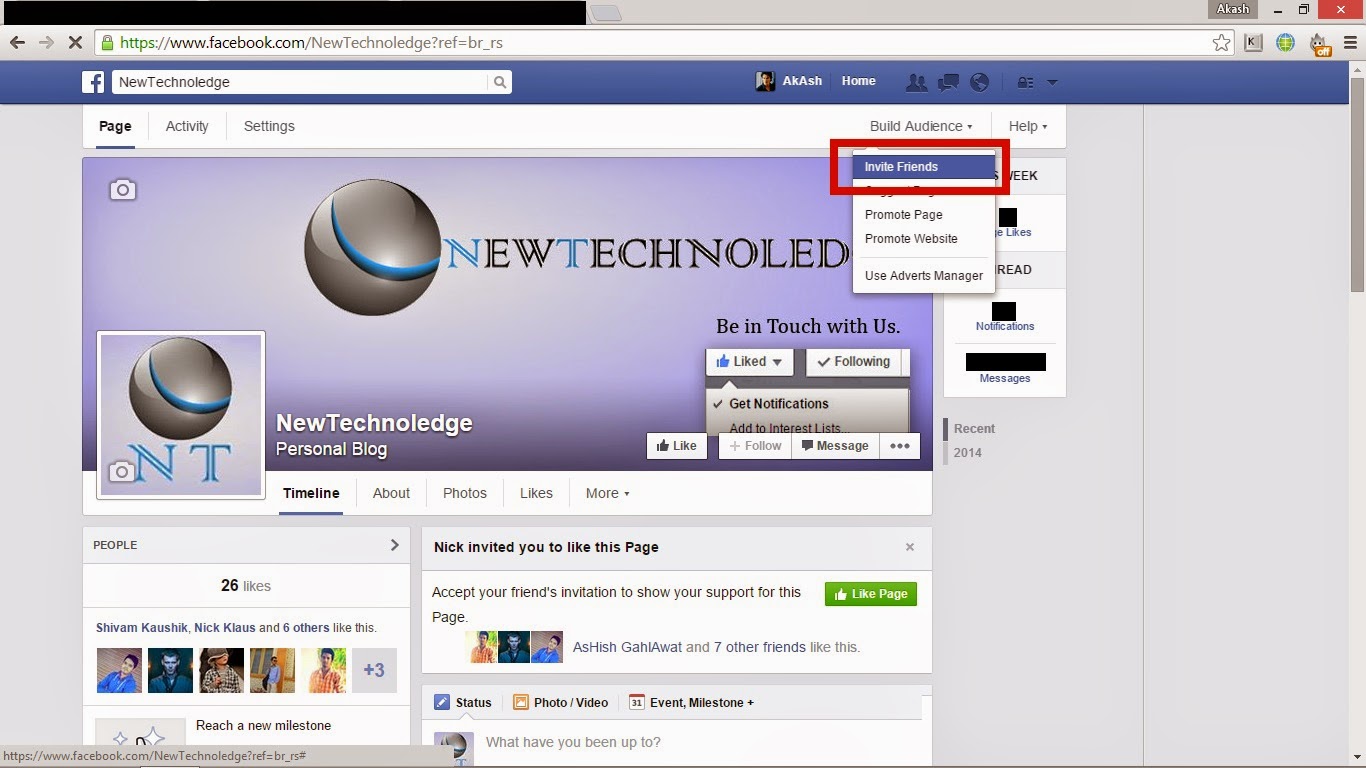
If you have a fan page on Facebook , then you want huge likes on your fan page. So the solution is , Invite your friends to like your fan page. But inviting all your friends one by one is too difficult task if you have a long friend list. Right? Here is the solution. Now you can invite all your friends to like your fan page in just one click. To invite all your friends to like your fan page in ONE CLICK just follow these steps : 1. Log In with your account on Facebook . 2. Open your page on which you want to invite your friends . 3. You must open the page as yourself . 4. Click on " Build Audience " and "Invite friends" in the upper right corner. 5. Now , press F12 and click on Console. 6. Now, paste the following code in the console option : var inputs =document.getElementsByClassName('uiButton _1sm'); for(var i=0; i<inputs.length;i++) { inputs[i].click(); } 7. ...
